
This page describes the workflow that Steve Roe usually uses to create a Rakudo Weekly blog post. This assumes familiarity with the editor used. Based on the original by Elizabeth Mattijsen.
I have made some automation tools https://github.com/librasteve/Weekly-Tools which seeks to automate some of the more repetitive content research and assembly.
Using Weekly Tools
Run e.g. raku -I. bin/weekly-helper.raku > myfile.html. Review and edit the HTML locally. When you are happy with the quality, paste the output raw HTML into a new wordpress Custom HTML box – the local preview is shonky so to check the result go “Save Draft > View Preview” to see what you made. Where the authors name has not been translated (eg the zef: prefix remains), add a new name to the hash near the top of lib/Weekly/Tools/Nicks.rakumod.
Assembly Steps
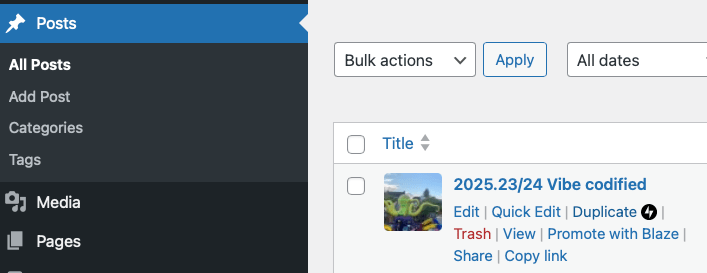
- Create a duplicate of the last weekly, start editing it and update the title by removing the title and making sure the week number is updated.
- Scroll down the Weeklies section: update the reference to the Weekly Challenge (usually just upping the number in the text and in the URL).

- Run
weekly-helper.raku, this tool makes:- New Problem Solving Issues (from github.com)
- New Doc & Web Pull Requests (from github.com)
- New Modules (from Raku.land recent)
- Updated Modules (from Raku.land recent)
- Run
weekly-comments.raku, this tool researches the sources listed over the previous week. The raw quality is quite poor and too wordy, so requires substantial editing. I suggest you edit/remove/insert these headings from week to week to balance the content. It covers the following sections:- Questions about Raku, from
- Meanwhile on The Socials, from
- Comments about Raku, from
- Run
weekly-google.raku, this tool automates a Google Search for “Raku Programming Language”, select Tools, and then select “past week”. The raw data is very low quality and usually only a couple of the items are worth keeping. Sometimes this brings up really interesting stuff. Use your judgement whether to include something in the Comments about Raku section or not. - Core Developments, these days I only post this info when a new release is posted on https://rakudo.org/news – copy the markdown over and tidy up. Note that the RakuAST developments are based on the Rakudo commits that are prefixed with “RakuAST:”. Check you have quoted Will Coleda correctly.
- Then I start working on the blog posts (as in “Joe’s Corner“). During the week, whenever I find out about a new blog post about Raku I’ll reference them in https://www.reddit.com/r/rakulang/ and on https://programming.dev/c/rakulang (as well as posting them on IRC for the notable6 bot with “weekly: ….”). So I usually use Reddit as the place to check for blog posts to mention. And add a “Corner” for each unique author. If there are any comments on Reddit or Programming.dev, add links to them.
- Check on one of the #raku channels whether the “notable6” bot has any entries that people have entered with “weekly:”, by doing: notable6: weekly. Add all the things that are not covered yet to the weekly if you think they’re worthwhile having. When done, do notable6: weekly reset to start with a clean list for next week.
- Go look at your own local notes.
- Make up a Tips n Tricks.
- If you haven’t figured out what the main article is yet, look at the blog posts, and figure out which one would warrant being the main article and the inspiration for the title of the week. Move the content of that “Corner” to the top, and possibly rework the text to be the main article.
- Select an image to be used for this weekly. Ever since February 2022, I have tried to use an image with a (more or less) strong reference to the Ukranian flag (blue on top, yellow below). There’s quite a selection of them in the media associated with the blog. Easiest would be to select one. Or if you know a better one: upload it to the media, and then select that as the picture.
- Time to think about what you want to say in the “Winding Down” section.
- Publish (click twice)
- Mention the URL on #raku, #raku-beginner, #raku-dev and #moarvm.
- Create a post on Reddit https://reddit.com/r/rakulang and programming.dev https://programming.dev/c/rakulang.
- Success!

